Why don't my LinkedIn posts appear on my profile page?
Last updated: January 28, 2026
Context
You may notice that while your LinkedIn posts are active and visible in the LinkedIn feed, they don't appear on your profile page when people visit it. This happens when your profile's activity section is turned off or when your profile visibility settings are not configured to show posts publicly.
Answer
To make your LinkedIn posts visible on your profile page, you need to adjust your profile visibility settings. Here's how to do it:
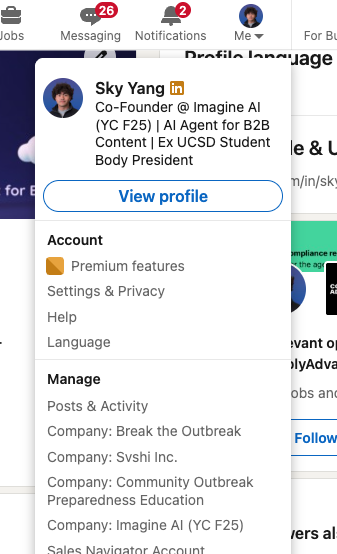
Step 1: Access Settings and Privacy
Click on your profile picture and select "Settings and Privacy" from the dropdown menu.
Step 2: Edit Your Public Profile
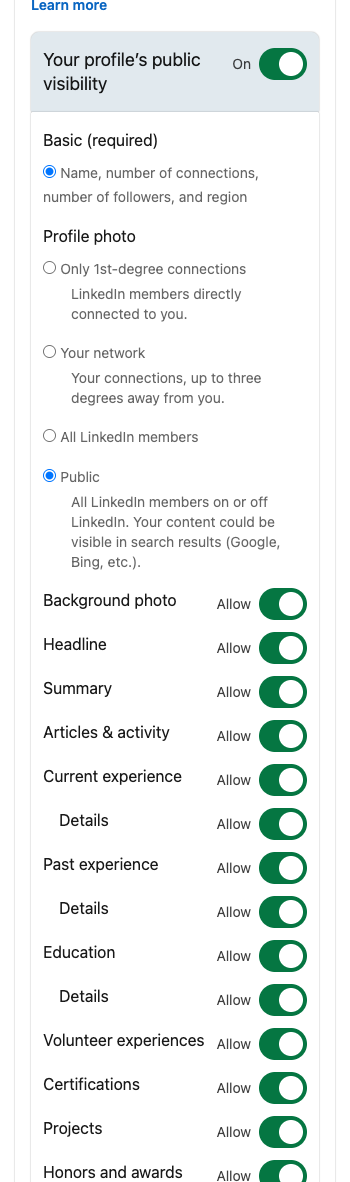
Toggle "Your profile's public visibility" to "On" and select "Public" for specific sections like photo, headline, and experience. This allows search engines to index your profile and makes your content more discoverable.
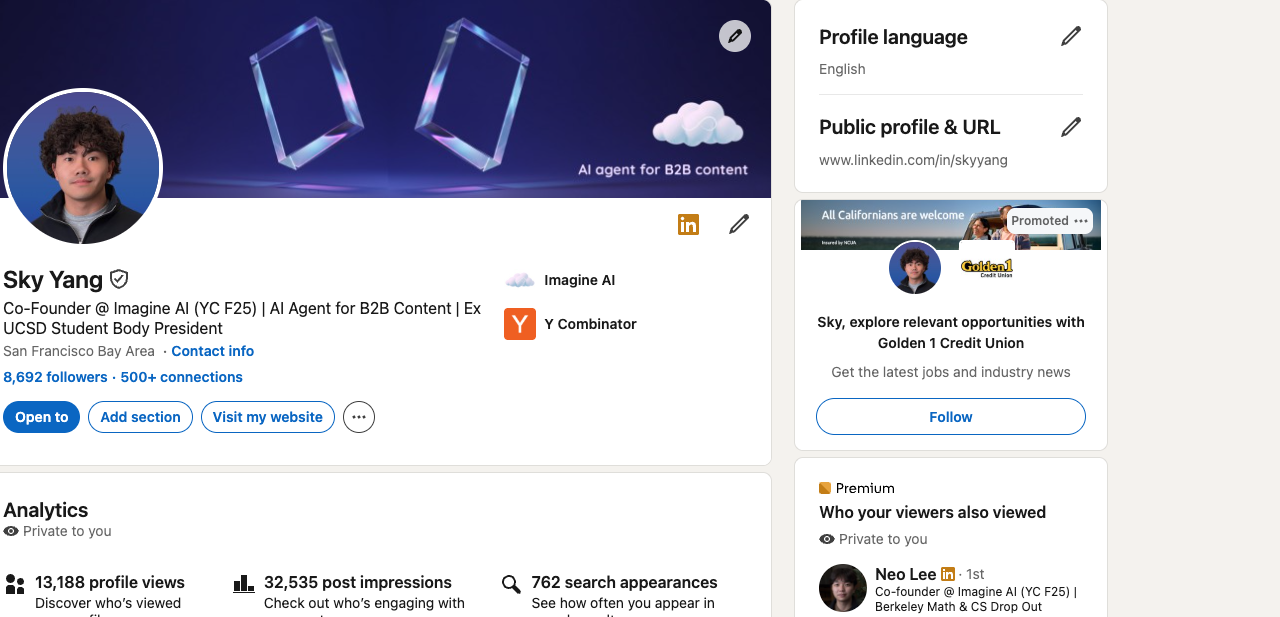
Step 3: Access Profile Visibility Settings
Click on the pencil button next to "Public profile & URL" on your profile page.
Step 4: Enable Activity Section
In the profile visibility settings panel, make sure to turn on the "Articles & activity" section. This will allow your posts and articles to appear on your profile page.
Additional Recommendations:
Always keep your activity section enabled so visitors can see that you're actively posting content, which increases discoverability.
Consider adding featured posts or articles to your profile's featured section to highlight important content and build credibility.
Once these settings are configured, your LinkedIn posts will be visible to anyone who visits your profile page.